What you will learn
- RTF is the fastest framework for simple tasks; CARE adds a desired result and an example; CO-STAR is strongest for audience-sensitive communication; RISEN fits bounded, multi-step professional work.
- Framework names are memory aids, not quality guarantees. Source rules, tool permissions, uncertainty handling, and verification still need to be added when the task carries risk.
- Choose the smallest framework that removes meaningful ambiguity, then test it on representative inputs instead of judging it from one successful response.
01
What is an AI prompting framework—and what is it not?
An AI prompting framework is a short, repeatable structure for turning an unclear request into instructions a model can follow. Frameworks help writers remember important fields such as role, context, objective, audience, steps, examples, and output format. They are especially useful when a team wants a shared way to draft and review prompts.
A framework is not a security boundary, a factual source, or proof that a response is correct. The same well-structured prompt can still fail because its source material is weak, a tool has excessive permissions, a requirement is missing, or the output was never tested. Treat the acronym as the beginning of a task contract, then add evidence, limits, and verification in proportion to the impact of the work.
Expansions for popular acronyms can vary across publishers. This guide uses RTF as Role, Task, Format; CARE as Context, Action, Result, Example; CO-STAR as Context, Objective, Style, Tone, Audience, Response; and RISEN as Role, Instructions, Steps, End goal, Narrowing. State the fields explicitly in any shared template so a colleague never has to guess which version you mean.
02
RISEN vs CO-STAR vs CARE vs RTF at a glance
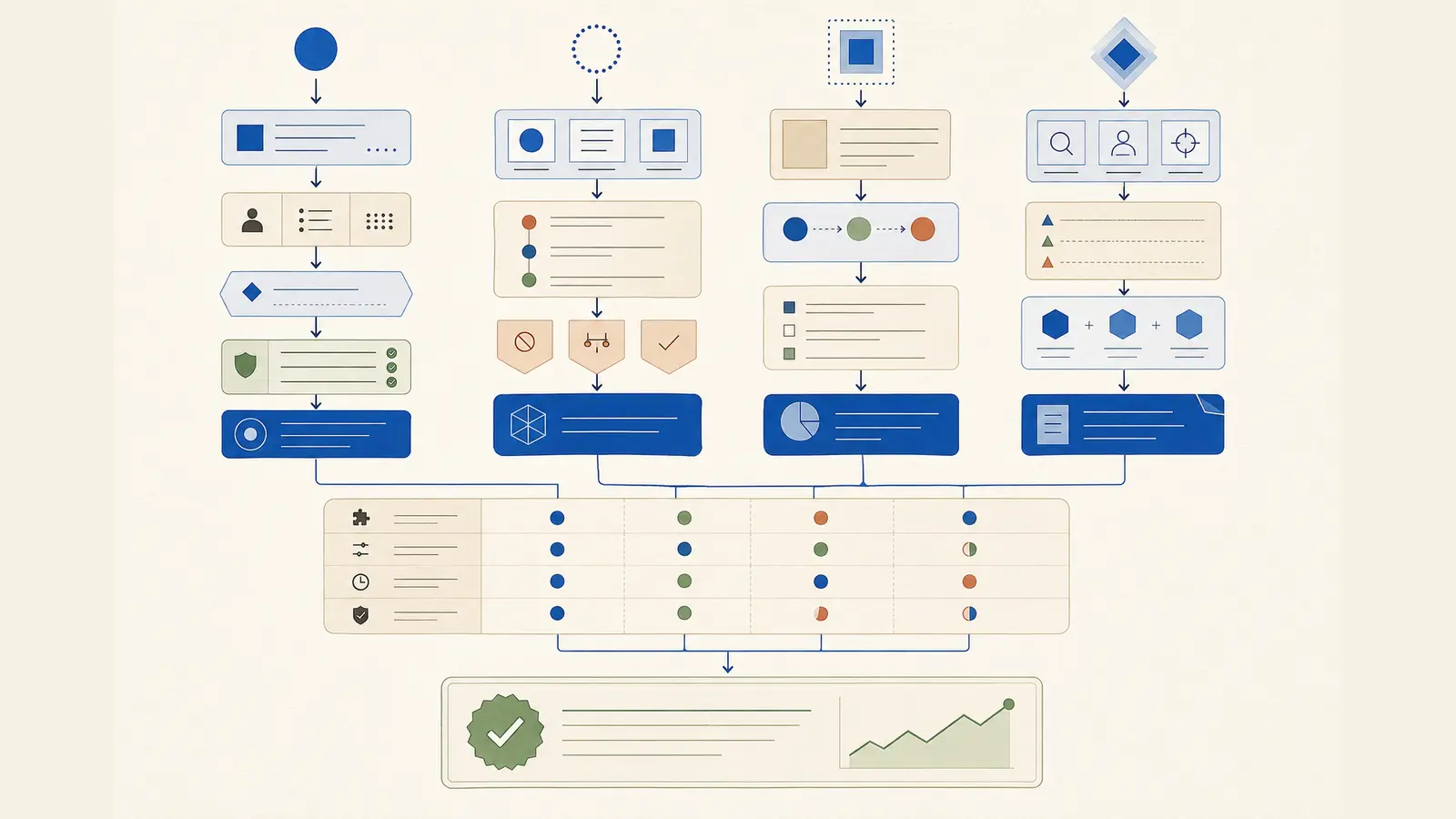
The best AI prompting framework depends on the type of ambiguity you need to remove. RTF controls who the model should emulate, what it should do, and how it should present the answer. CARE adds context, a measurable result, and an example. CO-STAR gives detailed control over communication for a particular reader. RISEN provides more structure for a multi-step assignment with explicit boundaries.
Use the shortest option that makes the next action clear. Adding fields that do not change the result makes prompts harder to maintain. Omitting a field that changes the decision—such as the source of truth, target audience, or approval boundary—creates avoidable risk.
- RTF — three fields; best for quick drafting, rewriting, extraction, and formatting
- CARE — four fields; best when a concrete outcome and a representative example matter
- CO-STAR — six fields; best for marketing, editorial, support, and stakeholder communication
- RISEN — five fields; best for analysis, planning, research, and multi-step professional workflows
- Production extension — add sources, uncertainty rules, permissions, validation, and approval where needed
03
RTF: Role, Task, Format
RTF is useful when the input is already clear and the task is low risk. Role establishes a relevant perspective, Task names the work, and Format defines the deliverable. Its strength is speed: the prompt is easy to write, scan, and reuse. Its weakness is that it does not naturally ask for context, evidence, success criteria, or uncertainty behavior.
Use RTF for transformations with a supplied input: turn notes into action items, rewrite a paragraph for clarity, extract fields from a document, or produce a fixed-format summary. Do not rely on a role such as “expert” to create missing facts. A role should influence the lens and vocabulary, not grant authority or evidence.
Example using the same task throughout this comparison: Role: You are a B2B content strategist. Task: Create a launch outline for a free AI prompt evaluation checklist using only the product facts below. Format: Return a table with audience problem, promise, five sections, evidence needed, and one call to action. Mark missing facts as “evidence needed.”
- Best for: concise, repeatable tasks with complete inputs
- Main advantage: low writing and maintenance cost
- Main limitation: weak control over context, audience, and success criteria
- Upgrade it when: the response will inform a decision, claim facts, or trigger an action
04
CARE: Context, Action, Result, Example
CARE is a practical middle ground. Context explains the situation and available information. Action states what the model must do. Result describes the useful outcome rather than only the document shape. Example demonstrates a pattern that is difficult to express through rules alone.
CARE works well for recurring business deliverables where quality is easier to show than define: sales follow-ups, content briefs, customer-response drafts, internal reports, and structured recommendations. The example should demonstrate form, depth, and reasoning standards without smuggling unrelated facts into the answer.
Example: Context: We are launching a free checklist for teams evaluating shared AI prompts. Our audience is operations managers who need repeatability, not prompt tricks. Action: Build an evidence-led article outline from the supplied product facts. Result: An editor can assign the article without another strategy meeting. Example: Use the sample section pattern “reader question → evidence required → practical takeaway,” but do not reuse its subject matter.
- Best for: outcome-oriented work with a recognizable quality pattern
- Main advantage: connects the task to a useful result
- Main limitation: the example can anchor the model too narrowly
- Upgrade it when: source conflicts, edge cases, or strict audience controls matter
05
CO-STAR: Context, Objective, Style, Tone, Audience, Response
CO-STAR separates what the response must achieve from how it should communicate. Context provides the situation, Objective defines the outcome, Style specifies the writing approach, Tone describes the emotional register, Audience identifies the reader, and Response defines the final form. Singapore’s Government Technology Agency documents this six-part structure in its prompt-engineering guidance.
This framework is especially strong for content, marketing, customer communication, executive updates, and any task where the same facts must be adapted for different readers. Style and tone should be concrete. “Use short paragraphs, plain English, and evidence beside each recommendation” is more actionable than “sound professional.”
Example: Context: We have a free AI prompt evaluation checklist and the verified facts below. Objective: Help operations managers understand why prompts require testing. Style: Evidence-led field guide with short examples and descriptive headings. Tone: Calm, practical, and specific; avoid hype. Audience: Non-technical operations managers at small teams. Response: Provide a search-focused outline, a 60-character title, a 155-character description, five reader questions, and evidence gaps. Do not invent product results.
- Best for: audience-sensitive writing and communication
- Main advantage: precise control over reader fit and presentation
- Main limitation: it does not inherently define a multi-step process or tool boundary
- Upgrade it when: the task includes research, external tools, or consequential actions
06
RISEN: Role, Instructions, Steps, End goal, Narrowing
RISEN is the most operational of the four structures in this comparison. Role defines a relevant perspective. Instructions state the assignment and rules. Steps break complex work into observable stages. End goal explains what the result must enable. Narrowing sets scope, exclusions, constraints, or decision boundaries.
Use RISEN when intermediate work should be inspectable: research synthesis, strategy, planning, audits, analysis, or tool-assisted workflows. The steps should describe observable actions, not request hidden reasoning. Ask for a source table, decision criteria, calculation, or validation summary rather than private chain-of-thought.
Example: Role: Act as a senior content operations analyst. Instructions: Produce an evidence-led launch brief for our free prompt evaluation checklist using only the supplied facts and approved sources. Steps: identify search intent; extract supportable claims; map reader questions; draft the outline; audit each claim; list open questions. End goal: give an editor a decision-ready brief. Narrowing: focus on professional prompt testing; exclude model rankings and unsupported performance claims; stop and report if a required source is unavailable.
- Best for: bounded, multi-step professional tasks
- Main advantage: makes process, purpose, and constraints visible
- Main limitation: can become verbose when applied to a simple transformation
- Upgrade it when: tools require explicit permissions, approvals, retries, or logging
07
How to choose the right prompting framework
Start with task complexity and consequence, not the popularity of an acronym. If the model is transforming complete text into a known shape, start with RTF. If you need to demonstrate the desired pattern and state the business result, use CARE. If reader, style, and tone materially affect success, use CO-STAR. If the work contains multiple stages or important boundaries, use RISEN.
Hybrid prompts are valid when every added field has a job. A useful hybrid might combine CO-STAR’s audience and response controls with RISEN’s steps and narrowing. Write descriptive labels instead of only the acronym, keep stable instructions separate from changing inputs, and remove duplicate rules.
- Choose RTF when the input is complete and the output is easy to verify
- Choose CARE when an example and a practical result define quality
- Choose CO-STAR when communication must fit a specific audience
- Choose RISEN when steps, scope, and an end goal must stay aligned
- Use a hybrid only when one framework leaves a material ambiguity
08
Add the controls that every framework leaves out
Before using any framework for research, automation, or publishing, define the source hierarchy and freshness requirement. Tell the model what counts as an authoritative source, how to handle conflict, when to label an assumption, and when to stop. If tools are available, allow only the tools and actions required for the task; enforce permissions and validation in the application rather than trusting prompt wording.
Specify acceptance criteria that a reviewer can observe: required fields, citation coverage, calculations, constraints, uncertainty labels, and prohibited claims. Test the prompt on a normal case, incomplete input, conflicting evidence, an edge case, and an out-of-scope request. A prompt that succeeds once is a demonstration; a prompt that passes a maintained test set is a system.
For recurring work, record an owner, intended users, approved data classes, model compatibility, version, review date, known limitations, evaluation cases, and change history. Re-test after changes to the model, instructions, retrieval source, tools, policy, or downstream consumer.
- Evidence: identify sources, dates, conflicts, and unsupported claims
- Uncertainty: ask, assume visibly, offer alternatives, or stop
- Tools: allow-list capabilities and define read, write, and approval boundaries
- Output: use a decision-ready format or a validated machine-readable schema
- Evaluation: score correctness, completeness, constraints, usefulness, and safety
- Maintenance: version the prompt and preserve a rollback path
FAQ
Common questions
Which AI prompting framework is best?
There is no universal winner. RTF is best for simple and well-specified tasks, CARE for example-led outcomes, CO-STAR for audience-sensitive communication, and RISEN for bounded multi-step work. Choose the smallest structure that removes meaningful ambiguity.
What is the difference between RISEN and CO-STAR?
RISEN emphasizes instructions, steps, an end goal, and narrowing, making it useful for analysis and workflows. CO-STAR emphasizes style, tone, audience, and response, making it useful for communication and content.
Can I combine prompting frameworks?
Yes. Combine fields when each one addresses a real requirement, such as adding CO-STAR’s audience control to RISEN’s process. Use descriptive labels, remove duplication, and keep the resulting prompt easy to test and maintain.
Do AI prompting frameworks work across different AI models?
The core structures are model-agnostic, but results can vary by model, tool access, context length, and system instructions. Test important templates on the exact model and workflow you plan to use.
Do frameworks prevent hallucinations or prompt injection?
No. They can clarify evidence and boundaries, but they do not guarantee factual accuracy or security. Use authoritative sources, least-privilege tools, server-side authorization, validation, monitoring, and human approval for consequential actions.
Sources
Primary sources and live documentation
These links point to authoritative documentation used to verify and maintain this guide for the July 2026 update.
Turn the method into a reusable instruction.
Explore expert prompts